Collaborate
Draw Together puts two people on one canvas at the same time. You see your partner's cursor move and their strokes land as they paint them.
Starting a session
There are two ways in:
- From the home screen, tap the Draw Together button to start a fresh shared canvas or join one.
- From inside a project, open the gear menu and tap Collaborate to open the current painting up.
Whoever starts the session hosts it. Their device acts as the server, so it needs to stay awake and connected for as long as you are both painting.
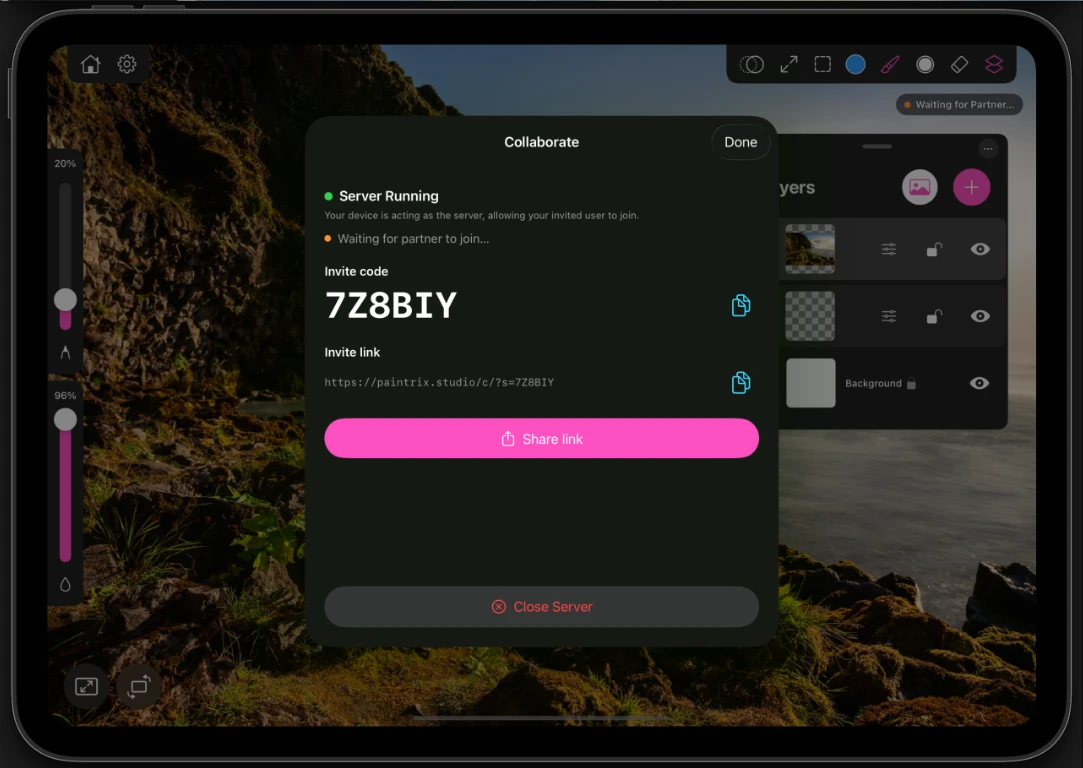
Inviting your partner
Starting a session gives you two ways to invite someone:
- A six-character invite code they type into Join a Collab.
- An invite link you can send through any app. Opening it on a device with Paintrix Studio installed joins the session directly.
Recently used sessions are kept in a Recent list, so rejoining someone you have drawn with before takes one tap.
While you are painting
- Your partner's cursor shows on your canvas as they move, and grows with their Pencil pressure while they are drawing.
- Partner is Drawing appears in the corner while they have a stroke down.
- You each have your own brush, size, fill and color. Changing yours does not change theirs.
- A green status pill on the canvas and a green dot beside Collaborate in the settings menu both confirm the session is live.
Layers, layer adjustments, transforms, the background and canvas resizing all sync between you.
If someone drops out
A partner who disconnects keeps their layers locked while they are away, so nothing of theirs is overwritten by accident. If you need to keep working on one of them, tap Claim Layer and it becomes yours. Layers you did not claim stay theirs if they rejoin with the same invite.
Ending a session
When the session ends, both of you keep a copy of the project in your own gallery. Nobody has to export anything or send a file afterwards.
Both devices need a working internet connection, and the host's device has to stay awake. If the host closes the app, the session ends for both of you.